Changelog

Last updated: November 1, 2026

Product screenshot: a stock page with its price chart, research tabs and an order ticket, in a practice account
Product screenshot · practice account

Deeper research on stock pages

Stock pages add Performance, Options and Company tabs, and Financials takes the long view. The cards describe the record and the market, never a forecast.

  • Performance shows how a stock has behaved over the years, from returns and drawdowns to moves after earnings
  • Options explains in plain words what the options market prices in, including the move around earnings
  • Company covers where the business sells, who depends on it, its credit standing and its board
  • Financials reads years of quarterly filings: revenue and profit, cash, the balance sheet and dividends
  • New cards show who owns the stock, analyst rating changes, lobbying and government contracts, and notices of insider sales

Product screenshot: the trading screen of a practice account, with crypto balances held in fractions
Product screenshot · practice account

Sell crypto held in tiny fractions

At supported brokers, a crypto position held to many decimal places can now be sold.

  • The amount is rounded down to the smallest unit Wealthnow can record, never up
  • The confirm screen shows the exact amount being sold before you approve
  • Any remainder too small to record stays at your broker, and the screen says so
  • You approve each order
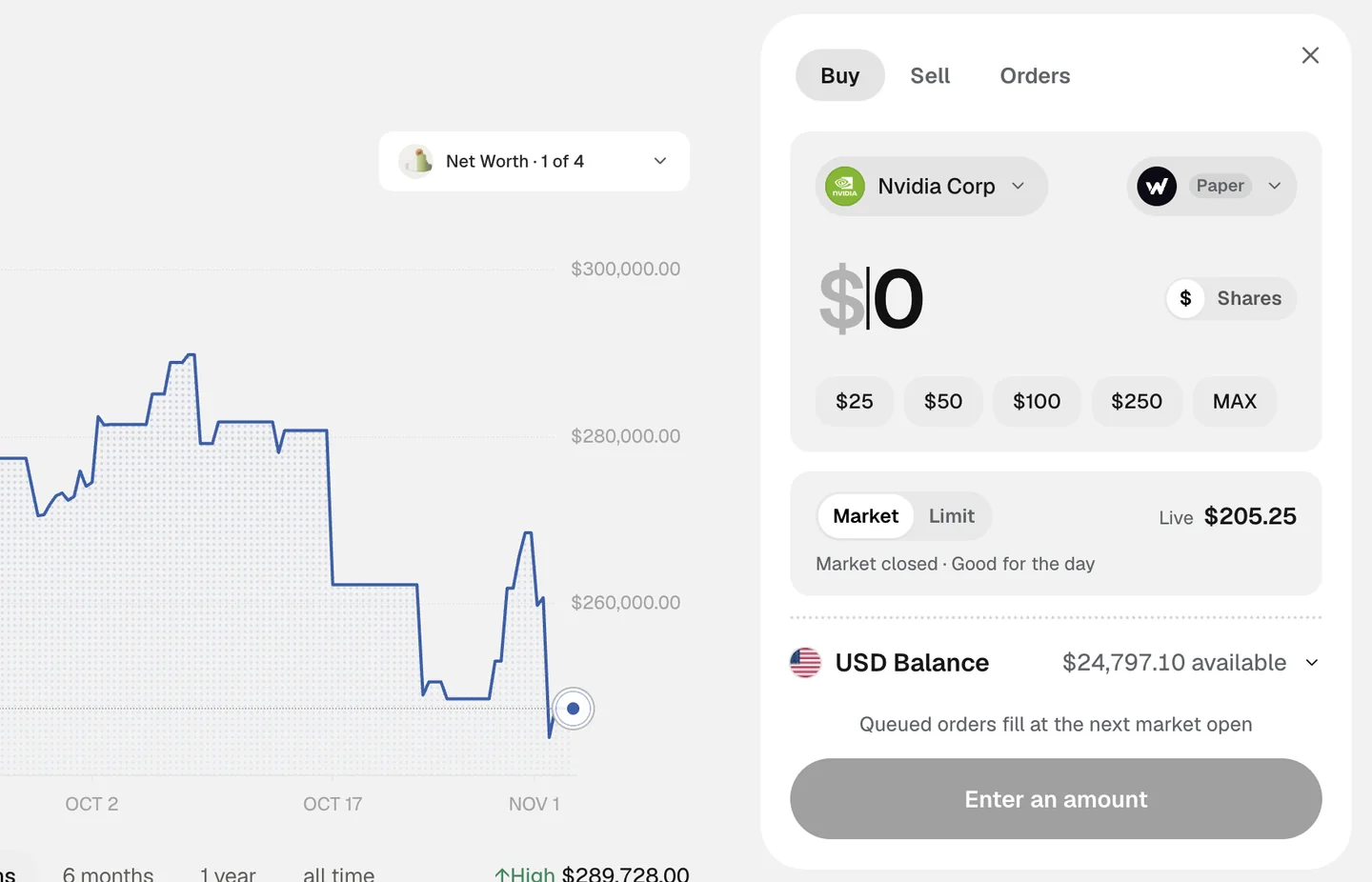
Product screenshot: an order ticket naming its stock beside the net worth chart, in a practice account
Product screenshot · practice account

Orders for exactly the ticker you chose

At supported brokers, an order is placed only for the exact ticker you asked for.

  • If only a similar ticker is found, the order is refused and says what was found
  • A fund listed on more than one exchange can be bought once its listings are confirmed as the same fund
  • Trades you make in your broker’s own app are recognised as yours, not flagged as unknown orders
  • You approve each order

Sign in with a code

Sign in or create an account with a one-time code instead of a password.

  • Enter your email, or a US or Canadian mobile number
  • Type the code we send you to continue
  • Existing accounts get their code by email and open the same account
  • The sign-in and sign-up screens work in every language the app offers

Adding a home or asset, made clearer

When you add a home, car, cash, another asset or a debt, the form tells you what is missing.

  • A line under Add says what is still needed, and a tap takes you to the first gap
  • Money fields add commas as you type and accept a pasted amount
  • The home form has labelled fields, and its examples are paler so they never look like values
  • On a phone, the form opens as a sheet with Add always in reach

Private markets on the Free plan

Private company research is now included for every signed-in member.

  • Search and browse private companies from Explore
  • Open a company page for its deals, its investors and, where available, its valuation
  • Research only: nothing on these pages is an offer to invest
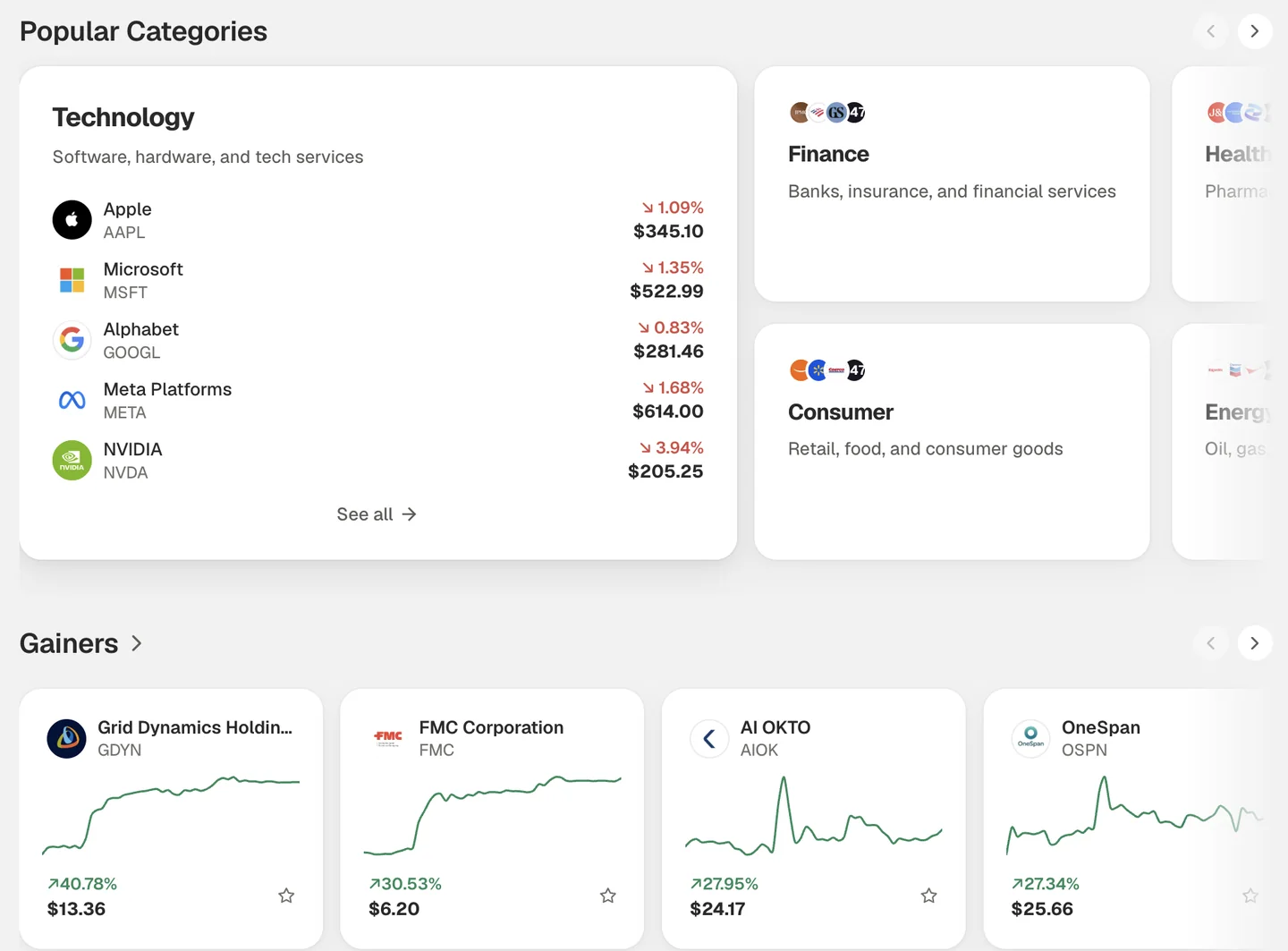
Product screenshot: Explore with market categories and the day’s gainers, sample account
Product screenshot · sample account

Faster Markets, clearer charts

Markets opens sooner, and charts and prices say more about what you are looking at.

  • Markets opens sooner: recent rows show at once and refresh behind the scenes
  • Before the open, cards and the one-day chart show the last full session until today has real data
  • Crypto charts draw in the bar size they ask for, so a daily chart has one bar per day
  • Explore adds an Earnings row with a calendar, and cards that open full market lists
  • Holdings says whether you are seeing live prices, prices at a set time or prices at close

Notifications made for your phone

On a phone, the bell now opens a full Notifications page.

  • Notifications and What’s new each have their own tab
  • Open a notice to read it on the page and mark it read
  • If notifications can’t be loaded, the page says so and offers Try again
  • Phone Home shows one net worth figure, with Investments and Spending tiles
  • Menus and pop-ups stay on screen at phone width
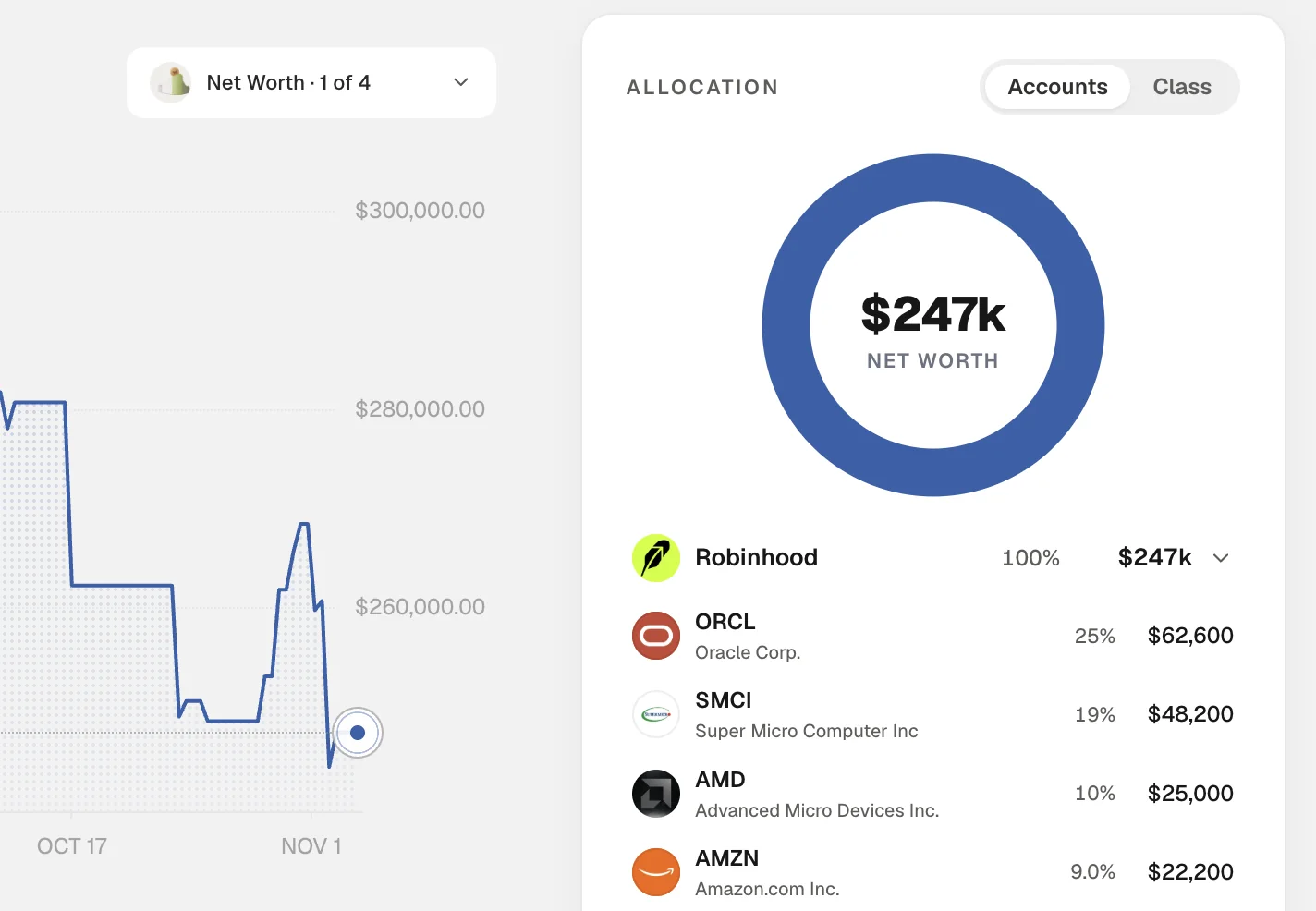
Product screenshot: the Home allocation card, each holding beside its company logo, sample account
Product screenshot · sample account

The right logo on every row

Holdings, Home and Smart money show the right mark for each name.

  • When a ticker names both a coin and a listed share, the logo follows the one you hold
  • Private companies show their own mark
  • A name we can’t match shows its initials, never another company’s logo
  • Company logos sit beside tickers across the app
  • Bank and broker logos are sharper in Settings

Small prices, shown in full

Prices under a dollar keep their digits, and a closed market says when it opens.

  • Asset pages show enough digits for a price under a dollar to show its move
  • Chart labels for very small prices no longer read as zeros
  • If you try to trade while the market is closed, the message says when it opens, in New York time
  • More coins have a chart on every range
Product screenshot: Home with Alfred open, answering about a stock with an analyst ratings card
Product screenshot · sample account

Alfred, pinned in chat

Alfred now has his own pinned conversation on the chat page and in the chat card.

  • A pinned Alfred row sits above your other chats
  • The Watching list shows what Alfred is watching, and you can stop any item
  • Alfred’s face follows the chart color you pick in Settings
  • Answers show company logos beside the tickers they mention
  • Chat is easier to read and tap on phones

Plain words when an account can’t refresh

When an account can’t refresh, we name it instead of leaving you to guess.

  • Home’s account list marks the account that didn’t refresh and shows its last balance when there is one
  • A failed connection is explained in a sentence, not an error code
  • With nothing linked, Alfred is no longer told your net worth is zero
Product screenshot: the news page with story cards and the podcasts panel, sample account
Product screenshot · sample account

A complete news desk

News now has its own desks, live updates and full story pages.

  • Public, Crypto, Stocks and Private desks in one place
  • New stories wait behind a pill, so the page never jumps while you read
  • Story pages bring together the article, why it matters, key facts and the names involved
  • Private news covers deals and top companies
  • Podcasts have their own page, and Listen reads a story aloud

The app in your language

The app now runs in English, Spanish, German, French, Italian, Dutch, Polish and Portuguese.

  • Pick your language in Settings or from the site menu
  • Pages, menus and settings follow your choice
  • The public site is translated too

See how Alfred gets to an answer

While Alfred researches, the chat shows what he is checking, and answers list their sources.

  • One live line sums up what Alfred is checking, such as prices, fundamentals and news
  • Open the line to see each step with its status and time
  • A Sources button opens a panel with what the answer drew on
  • Scroll anywhere on the chat page, even over a chart
  • Cards in answers match the look of the rest of the app
Product screenshot: the Home net worth chart with its low and high, beside an order ticket in a practice account
Product screenshot · practice account

Honest gains, steadier charts

Gains and losses leave out what we can’t verify, and charts read the day more clearly.

  • Gain and loss cards leave out holdings whose cost basis isn’t verified, and name them
  • A position without a verified cost basis shows no average price or gain
  • Chart cards in chat measure the day’s move from the previous close
  • The Home chart holds still while you drag across it
Product screenshot: two news stories, each labelled Newswire
Product screenshot · sample account

News that says who wrote it

News labels each story by who wrote it, and puts market news first.

  • Wealthnow News marks only the articles we write
  • Other licensed stories are marked Newswire
  • Stories that name tickers or cover markets rank above lifestyle pieces
  • For your desk includes our articles about what you hold

Clear answers when a figure can’t be read

If we can’t read a number, we say so instead of showing zero.

  • Balances, activity and connected accounts show that a read failed, with a way to retry
  • A position nothing could price reads Price unavailable
  • A list that really is empty still looks empty

Coins by their own names

Coin pages and holdings show each coin’s name, logo and chart.

  • Newly listed coins show their name and logo once we can verify them
  • A coin page names the coin in its header, its About card and your watchlist
  • Coins that had no chart now draw one
  • A coin your broker reports under its own code shows its usual name, logo and daily move

A steadier chat on your phone

A reply that arrives empty says so, and on a phone the chat stays in view while you type.

  • If a reply arrives with no text, the chat says so and offers to regenerate it where it can
  • On a phone, the header stays on screen and the composer sits on the keyboard
  • The latest message stays in view while the keyboard is open

Invite your household

Invite the people you manage money with, and each choose what the other sees.

  • Invite a spouse, partner, parent or anyone else by email
  • Each person joins with their own Wealthnow account
  • Each side decides separately whether the other can see their accounts
  • Sharing is view only: nobody can trade or move money in another person’s account
  • An account linked both view-only and for trading now counts once

Your next chapter starts here.

Start with a free account. Explore more as you go.