
Grow smarter, invest with confidence.

Smarter tools designed to help you grow your wealth and take control of your financial future.

Streamline finances with smart features

One net worth

See your net worth across every account you connect, in one number.
Spending analytics

See where your money goes on clear, intuitive dashboards.

Secure syncing

Link accounts through Plaid; they stay in sync as your banks report new activity.

A closer look at your spending

The spending screens in the Wealthnow app, built from the accounts and cards you link.

Net worth and spending, side by side.

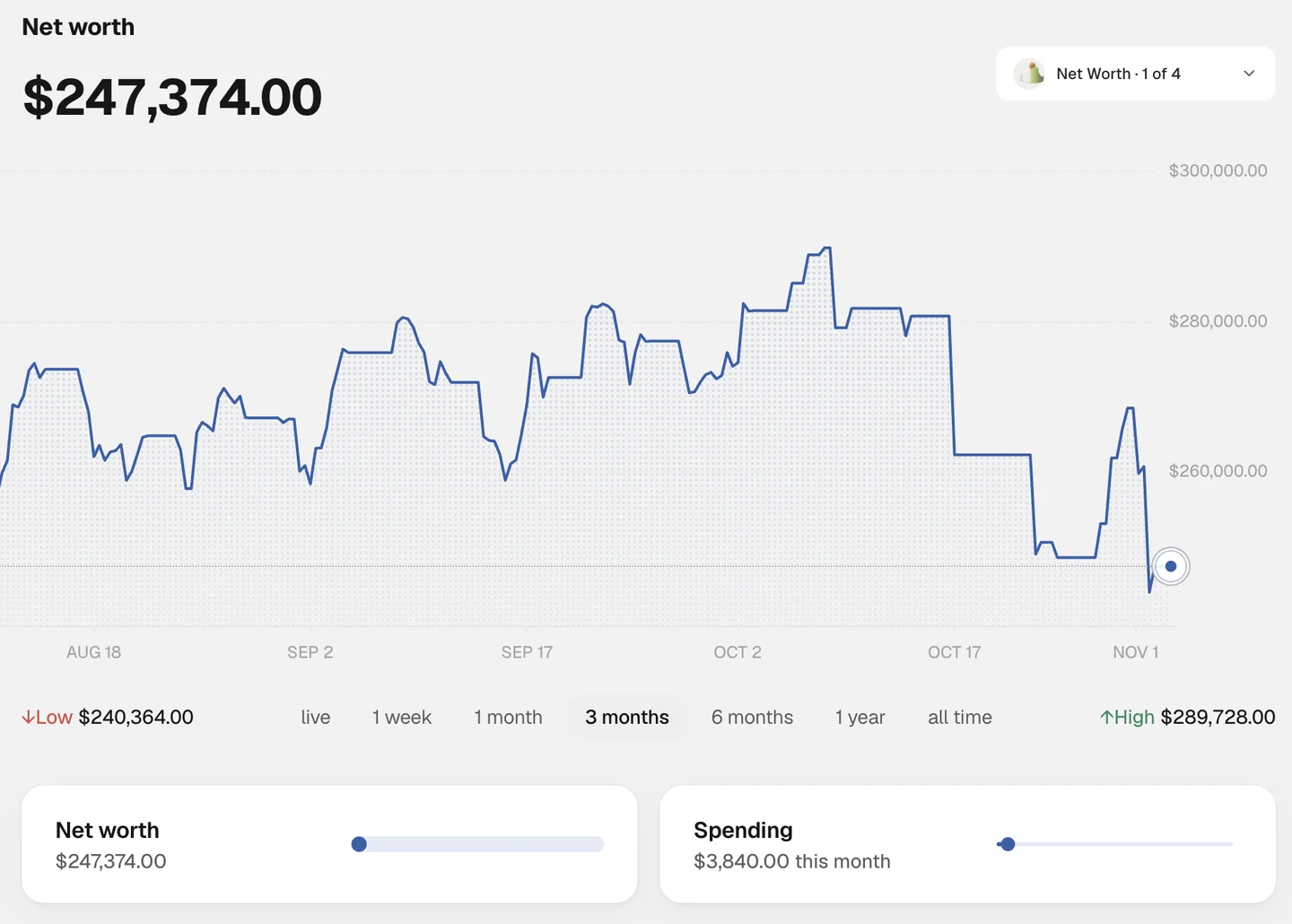
The Home screen shows the net worth of the accounts you connect, how it has moved, and what you have spent this month.

  • One figure across your connected accounts
  • A chart from one week to all time
  • This month’s spending beside it
Wealthnow Home screen of a sample account: net worth, a three-month chart with its low and high, and the Net worth and Spending cards
Product screenshot · sample account

Wealthnow spending screen on iPad Pro: monthly total, spending chart, categories, upcoming charges and recent transactions.
Product preview · Sample data for a fictional user

See where your money goes each month.

Your total for the month on a running chart next to your three-month average, a breakdown by category or merchant, and each transaction with its card or account.

  • Your monthly total next to your three-month average
  • A breakdown by category or merchant
  • Each transaction with its card or account

Every subscription in one list.

Recurring charges found in your transactions, each with its account, next due date and amount, plus a monthly breakdown of the last six months.

  • Recurring charges found in your transactions
  • Account, next due date and amount for each
  • A monthly breakdown of the last six months
Wealthnow recurring screen on iPad Pro: a list of subscriptions with account, due date and amount, and a monthly breakdown chart.
Product preview · Sample data for a fictional user

Wealthnow recurring calendar on iPad Pro: a month view with each charge and deposit on its day, and totals for income, bills and subscriptions.
Product preview · Sample data for a fictional user

Your month of bills at a glance.

A calendar that shows the day each recurring charge and deposit lands, with the month’s totals for income, bills and subscriptions.

  • A month view of your recurring charges
  • The day each charge and deposit lands
  • Totals for income, bills and subscriptions

Upcoming bills.

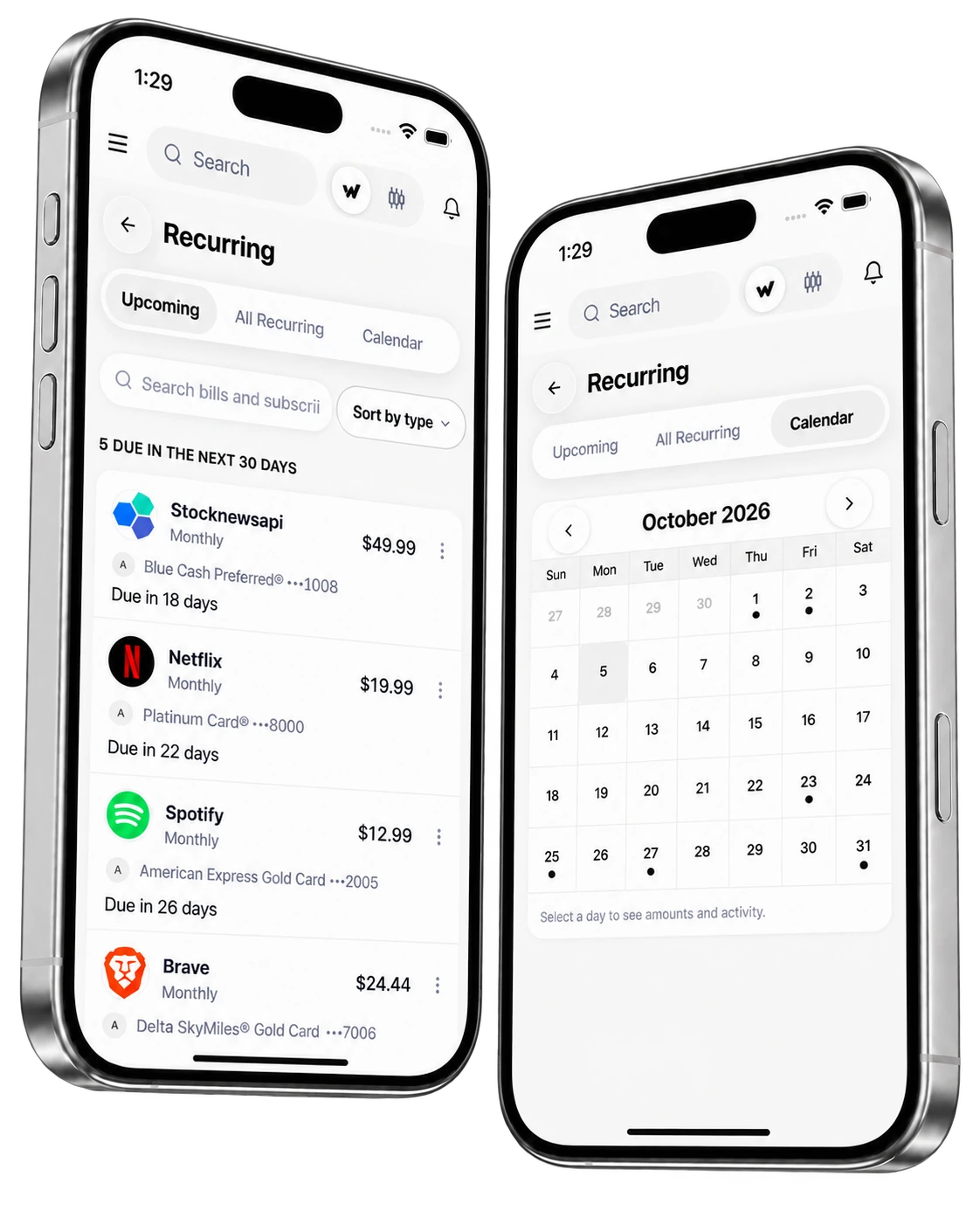
See recurring charges and your next payday, detected from your transactions.

  • Recurring charges detected from your transactions
  • Your next payday in the same view
  • Upcoming charges on your spending screen
Wealthnow recurring payments on two iPhones, showing upcoming bills and a calendar
Illustrative product preview. Example data.

Ask about your spending.

Ask Wealthnow where your money went, what you subscribe to, and what you can afford.

  • Where your money went
  • What you subscribe to
  • What you can afford

Powerful integrations, effortless setup

Link your banks and cards in one place, with updates as your institutions report new activity.

Connect accounts at banks and card issuers like these

  • Chase
  • Bank of America
  • Capital One
  • Citi
  • SoFi
  • US Bank
  • Ally
  • PNC

Logos are trademarks of their owners and do not imply endorsement.

From setup to insight in just three simple steps.

Connect accounts

Link your banks, cards and brokerages in a few minutes.

Track it in one place

See all your accounts together on one clean dashboard, refreshed as your banks report new activity.

Grow smarter, faster

Use the insights and reports to make better decisions about your money.

All you need to know

It brings your bank, card, brokerage and crypto accounts into one view, so you can see your net worth, spending, cash flow and debt in one place instead of across separate apps.

Your whole picture awaits

Connect your accounts in minutes and see your net worth, holdings and options in one place.